About Bump Soccer
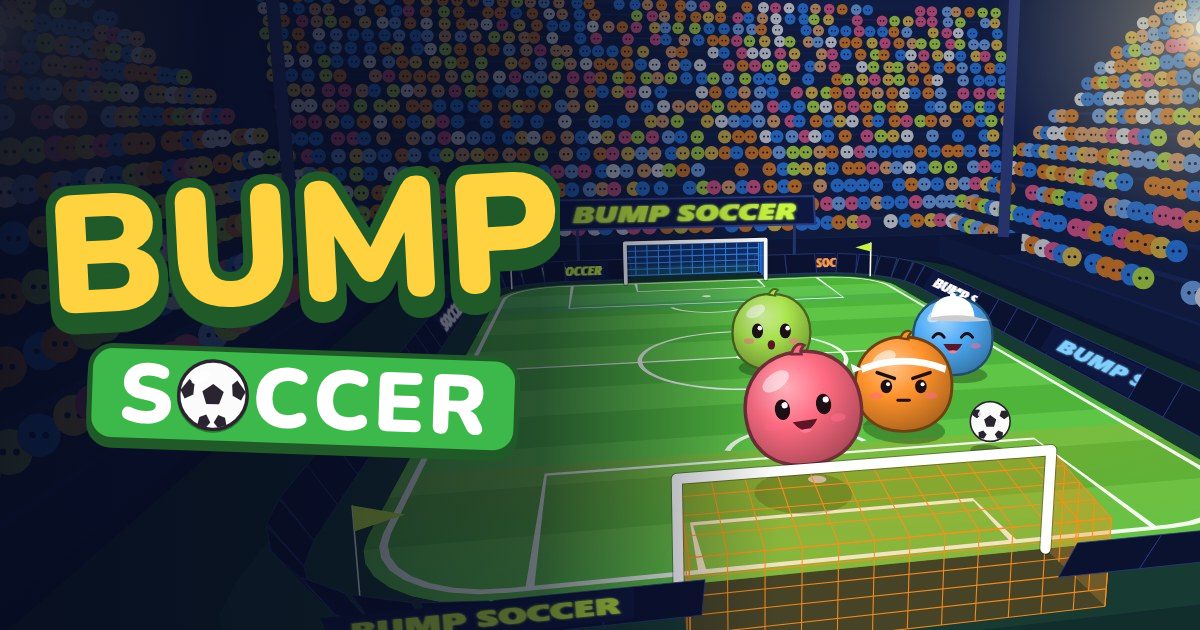
Bump Soccer is a free, lag-free multiplayer soccer game in the browser: play with friends next to you or on the other side of the world. It is turn-based: every turn everyone aims in secret, then all the blobs launch at once, so distance and a slow connection never cost anyone a shot. Two teams, from 1 against 1 up to 5 a side, share one ball on a walled pitch, and the first team to the goal target wins.
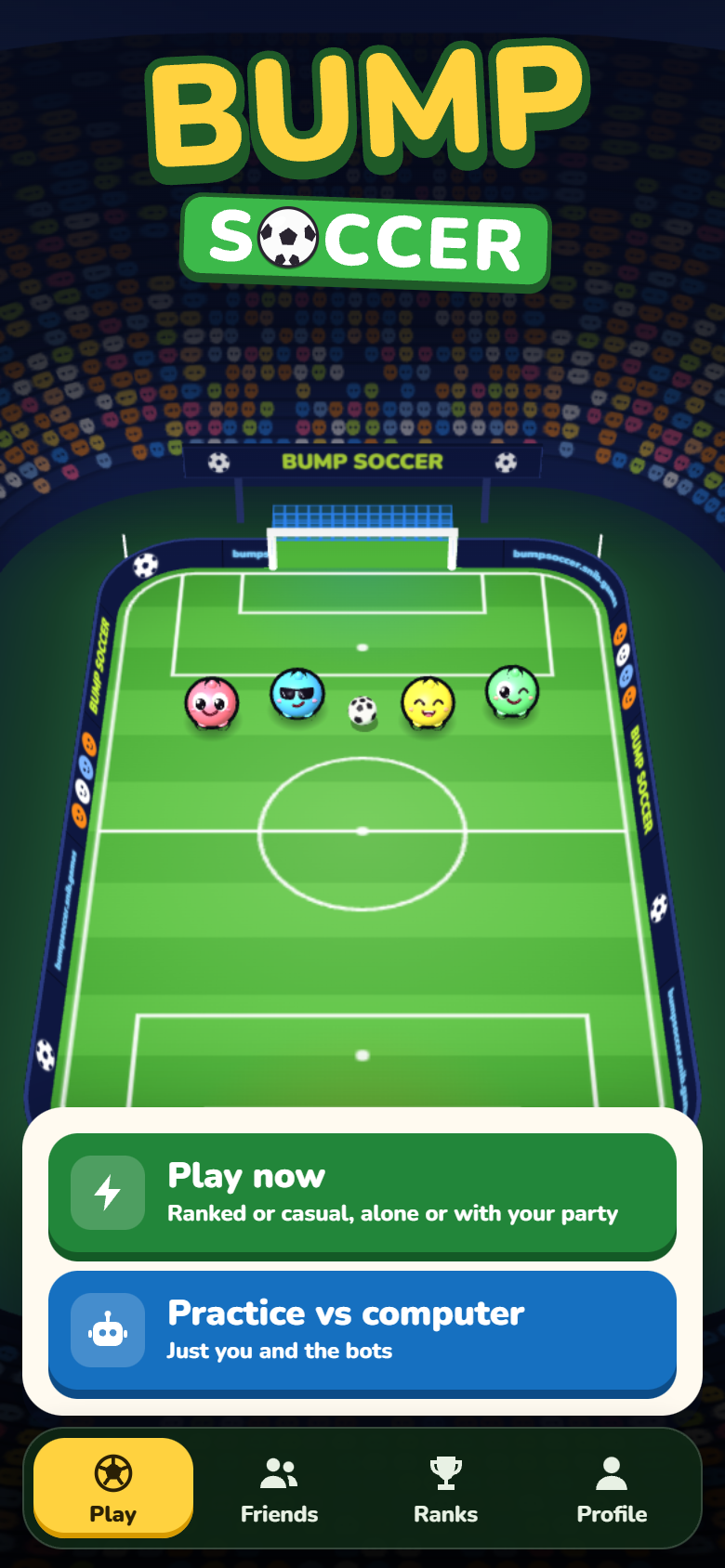
There is nothing to install: open the page and play, as a guest at first. Quick play finds you a match, Casual or Ranked, alone or with up to three friends in your party; Make a room, on the Friends tab, gives you a room of your own to share by link or code; and Practice vs computer is just you and the bots. A guest can play 3 matches; then a free sign-up, with Google, Discord or a code sent to your email, keeps you playing.
Why it is lag-free: everyone has 10 seconds to aim, and the server plays every shot the same way for everybody. As long as your aim arrives in time it counts like any other; a slow connection only means you see the play a moment later.
Bump Soccer was called Lava Bump until November 2026, when the game turned to soccer.
Play Bump SoccerFree, in your browser. No download, and you can try it without an account.
How to play
- Open the game on any phone, tablet or computer. Tap Quick play or Practice vs computer on the Play tab, or Make a room on the Friends tab. You play under a made-up name until you type your own on the Profile tab.
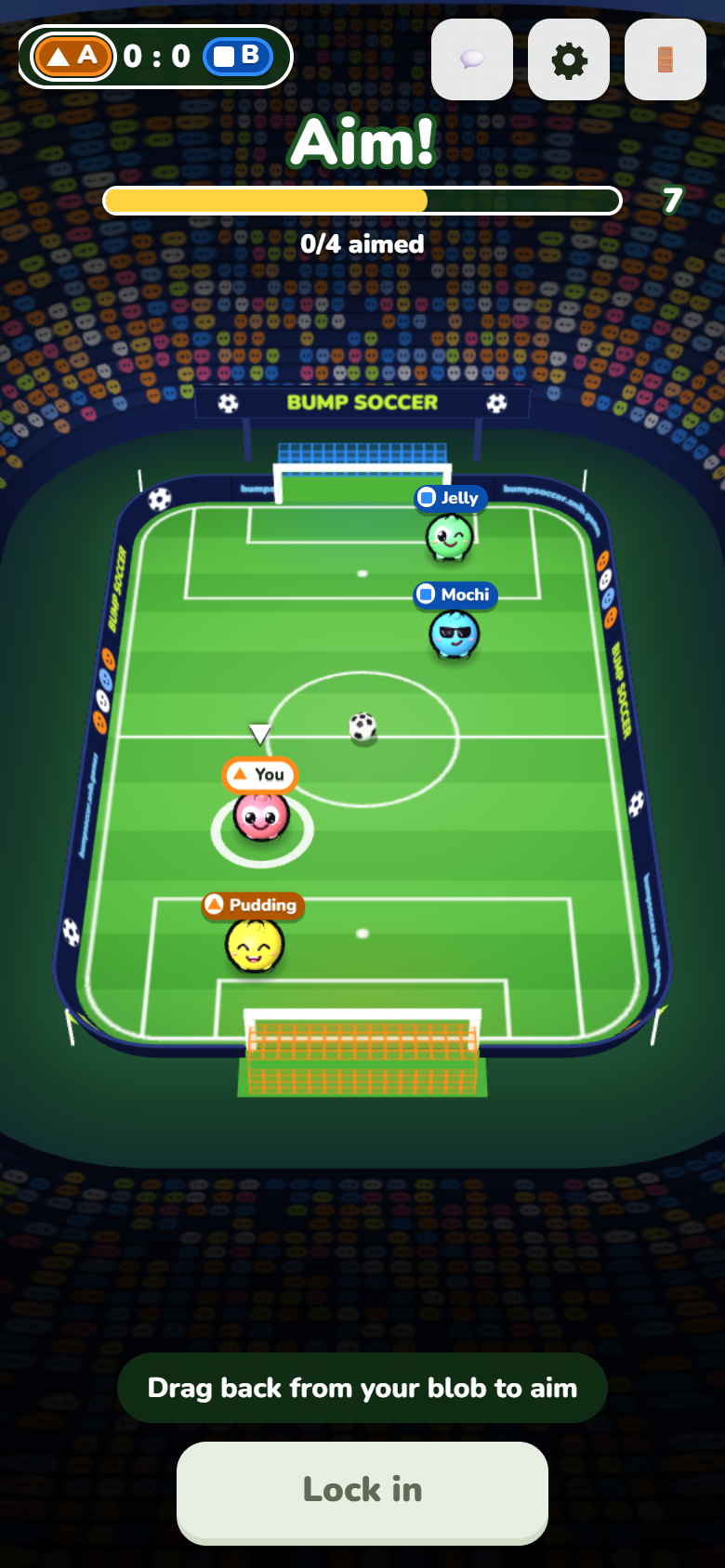
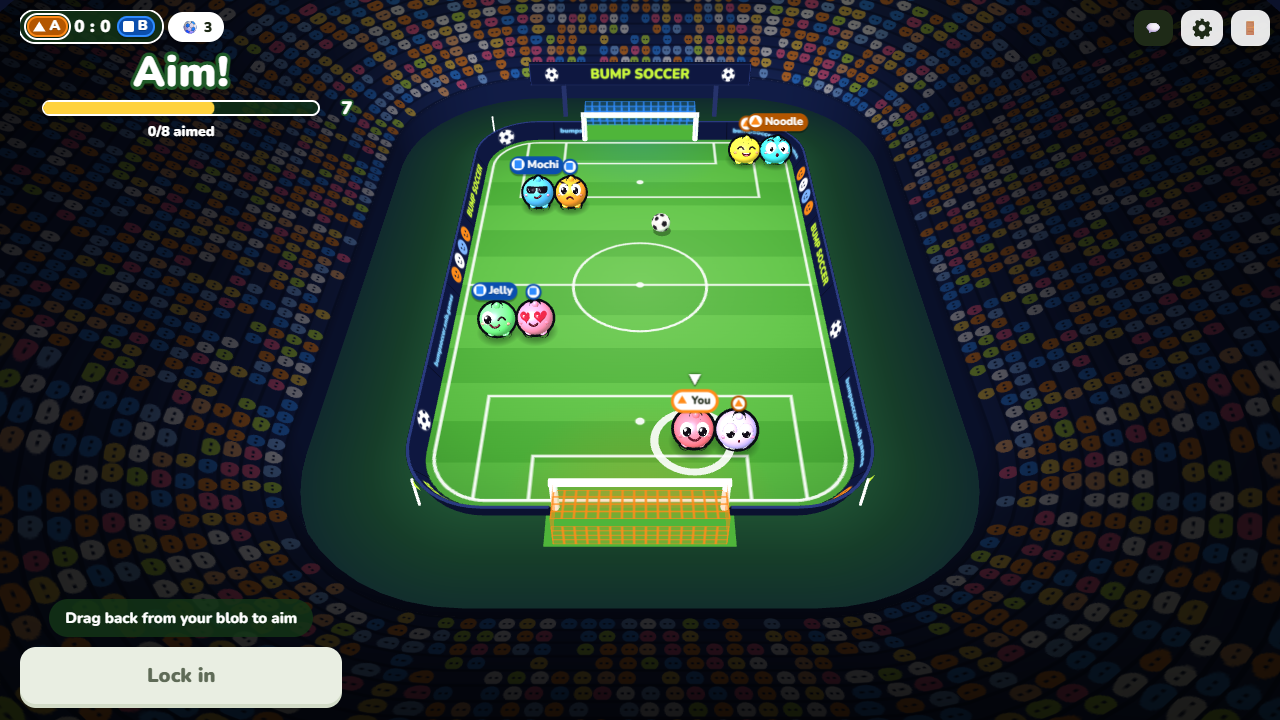
- Aim in secret. Drag back from your blob like a slingshot: the arrow shows the direction and the strength. Let go and tap Lock in. You have 10 seconds, and the other team never sees your aim before the reveal (your teammates do).
- Launch together. Everyone's aim is shown for a moment, then every blob launches at once. Hit the ball to kick it and bump the others off it: the harder a blob hits, the farther things fly, and everything bounces off the walls.
- Score. Push the ball into the other team's goal. The first team to the goal target wins the match.
The rules in full
- Everyone, people and bots, is dealt into team A or team B; in a room of your own the host can swap players in the lobby, and Quick play keeps a party on one team. Two blobs are enough for one against one, and a room holds up to 5 a side. Practice vs computer asks how many a side, 2 to 5, and fills the teams with bots.
- The ball is lighter than a blob and rolls about twice as far, but it moves only when someone hits it. The ball and the blobs bounce off the walls, nobody ever falls out, and a bigger match plays on a bigger pitch, its goals wider too.
- A goal counts for the team attacking that goal and goes to the last player of that team who touched the ball. If only the defending team touched it, it is an own goal: it counts for the other team and goes to nobody.
- At the start and after every goal, everyone goes back to a kickoff place on their own half and the ball to the centre spot. From 3 a side a team stands in a shape: two in front and a keeper at 3 a side, three in front and a keeper at 4, three in front and two at the back at 5. After each goal the places turn round, so everyone gets a turn up front.
- The host picks the goal target, from 1 to 5 goals (3 unless they change it; Practice vs computer plays to 3, Quick play to 2), and the first team to reach it wins the match. A match that drags on stops after 20 turns for each goal of the target: the team ahead wins, and a level match goes to penalties: three kicks each, then sudden death.
- Points: 1 for each goal you score, and 2 for every member of the team that wins the match.
Power-ups
- Crates appear on the pitch from the second turn. Slide over one to take its power-up (you can hold two), then tap Use while you aim: it works for that whole play.
- Cannon: your kicks send the ball off twice as fast.
- Glue: the ball sticks to you once you touch it, so you can dribble it past everyone and into the net, unless someone tackles it loose.
- Keeper: a wall shuts your own goal for the play, whatever you do.
- Cross: your kicks loft the ball over everyone's heads for a moment.
- Jump: you leap over the blobs and the ball in your way, and a teammate's cross meets your head in the air.
- Mud: the other team slides half as far for the play.
- Guide: while you aim, a line shows where your shot goes and where the ball goes after it, as in a snooker game. Only you see it, and it shows where the ball goes if nobody else touches it.
- Some crates hold Boost (you launch faster and slide farther), Heavy (your hits push harder and you are pushed less), Magnet (it drags the ball and nearby blobs along as you slide past), Spring (whoever hits you bounces off much harder) or a bomb, which goes off at the first touch and throws everyone near it, the ball too.
Tips
- A hard shot is no risk: the walls send the ball back. Bounce it off a wall to get round a defender.
- Everyone launches at once, so a rival may reach the ball before you. A run to your own goal side of the ball can block their shot.
- Cross and Jump make a header: one teammate lofts the ball, the other leaps to meet it over the defenders.
- Keep a Keeper for when the other team is close to your goal: the wall stands for the whole play, so you can still go for the ball.
Who it is for
Friends, near or far
Send the room's link to your group chat and everyone joins from their own phone, wherever they are. The game has no voice chat of its own, so it goes well with a video or voice call.
Couples and two players
Two is enough for a match: one against one, or the two of you on one team against the computer. It works across the room or across the world.
Families, kids and parents
One drag is the whole control, the blobs are cute, nobody is ever knocked out, and there are no ads and nothing to buy. Everyone aims at the same time, so a younger player's lucky shot can score the winner.
Parties
Everyone plays from their own phone in one room: up to 10 players, with bots to fill the teams. Guests join by the room's link or its 4-letter code.
Classrooms and clubs
Let players join by the room's code on their own devices, up to 10 at a time. Make the room Private, and pick Emotes only if you would rather have no typed chat.
Playing alone
Practice vs computer is you and the bots, 2 to 5 a side, Easy, Normal or Hard. In Casual, Quick play fills the seats with computer players when nobody else turns up within a minute.
Players who want a ranking
Ranked is real people only, never bots: sign in, search alone or with your party, and climb seven tiers from Kickabout to Superbump, three divisions each.
Features
- Free: no ads, nothing to buy.
- Lag-free, wherever you are: it is turn-based, so everyone has the same 10 seconds to aim and the server plays every shot the same way for everybody. Friends on the other side of the world play as if in the same room.
- No download: it runs in the browser. You can also install it from the browser as an app on your home screen.
- Made for phones first, and just as good with a mouse on a computer or tablet.
- Up to 10 players in a room, people and bots, from 1 against 1 to 5 a side. A bigger match plays on a bigger pitch.
- Quick play is matchmaking: a party of up to 4 searches together and plays on one team. Casual fills the empty seats with computer players after a minute; Ranked is signed-in real people only, and can be 1 against 1.
- Ranks: seven tiers from Kickabout to Superbump, three divisions each, moved only by Ranked matches. Leaving a ranked match early forfeits it, and the one who left waits a while before their next ranked match.
- Tournaments: knockouts and leagues, for players alone or for teams, with a bracket or a table to follow and a trophy on the winner's profile. Free to enter.
- Computer players at three levels: Easy, Normal and Hard. You add them in Practice and in a room of your own; in Casual they fill the seats nobody takes, and a person who comes in later takes one. Never in Ranked.
- Power-ups in crates on the pitch: Cannon, Glue, Keeper, Cross, Jump, Mud, Guide and more.
- Public rooms to join a game that is waiting, and a 4-letter code or a link for your own.
- Match history: signed in, your last 20 matches are kept on the Profile tab, each with the whole match and every goal to watch again, and to download or share as a video where your browser can make one.
- Chat and emotes, with a filter for rude words and no links.
- Four languages: English, Portuguese (Brazil), Spanish and Korean.
- Try it as a guest: 3 matches with no account. Then a free sign-up keeps you playing, and if you sign up right after a match, that match's XP and replay go to your new account.
- Sign-in with Google, Discord or a code sent to your email (no password) keeps your XP, levels, 20 hats, rank and match history, and puts your wins on the leaderboard (this week and all time).
Safety, in plain words
- You can try the game without an account and without giving any personal details: a guest only has a name. To count a guest's 3 matches the server sets a guest cookie, a random value that says nothing about who you are. To play on after them you sign up, free, and an account keeps the email you sign in with.
- There are no ads, no purchases and no third-party trackers.
- Practice vs computer is a private room with only bots in it, and the bots never chat.
- A room you make on the Friends tab starts public (anyone can find it in Public rooms). Its host can switch it to Private in the lobby, so only people with the link or the code get in, and can remove anyone from the room.
- Names and chat go through a word filter on the server, in English, Portuguese, Spanish and Korean: a rude name is replaced, rude words are starred out, slurs and threats are not sent, and someone who keeps at it is muted for 60 seconds. Links, emails, social accounts and phone numbers are not allowed in chat or in names.
- Quick play, with strangers, is always Emotes only. The host of a room of your own can make it Emotes only, and every player can turn typed chat off for themselves; the emotes always work. On the web game portals the chat is emotes only too.
- No filter is perfect. For young children, Practice, or a Private room set to Emotes only with people you know, is the safest choice.
- Signing up is free and needed only to play on after the 3 guest matches, or to play Ranked. Children under 13 (or the age set in their country) should ask a parent first. The privacy policy says what is kept, the guest cookie too.
Pictures
Questions
Is Bump Soccer free?
Yes. It is free to play, with no ads and nothing to buy. Signing up is free too.
Does it need a download?
No. It runs in your browser: open the page and play. If you like, your browser can install it as an app on your home screen, but you never have to.
How many players can play?
From 1 to 10 in a room, counting people and bots: from 1 against 1 up to 5 a side. You can play alone with computer players, two of you head to head, or a full 5 against 5. Quick play makes matches of 2 to 4 a side, by the size of the parties searching (and 1 against 1 in Ranked).
Does it work on a slow connection?
Yes, it is lag-free. It is turn-based: everyone has 10 seconds to aim, and the server plays every shot the same way for everybody. A slow or faraway connection only shows you the play a moment later: as long as your aim arrives before the clock runs out, your shot counts like any other.
Can I play with friends who are far away?
Yes, and the distance costs nobody a shot: it is turn-based, so a friend on the other side of the world plays as if in the same room. On the Friends tab, tap Make a room and send the invite link (or the 4-letter code) in any chat. Your friends open it on their own phone or computer and join the same room over the internet, from anywhere. Or bring up to three of them into your Quick play party with its code and search for a match together, on one team. There is no voice chat in the game, so a call next to it works well.
Is it safe for kids?
There are no ads and no purchases, a guest gives only a name, and Practice vs computer has nobody in it but bots. Quick play with strangers is emotes only. In a friends room, names and chat go through a word filter (rude words starred out, slurs and threats blocked, no links), and the host can make the room Emotes only or Private and remove anyone. No filter is perfect, so for young children use Practice or a Private, Emotes only room with people you know.
Does it work on iPhone and Android?
Yes, in Safari, Chrome and other recent browsers, and on tablets and computers too.
Can I play alone?
Yes. Practice vs computer is you and the bots, 2 to 5 a side, and in Casual, Quick play fills the seats with computer players when nobody else turns up within a minute.
How long does a match take?
A turn is 10 seconds of aiming and a few seconds of action. A match is played to a goal target the host picks, 1 to 5 goals; Quick play plays to 2, a match of about 5 minutes.
What are Ranked and Casual?
The two ways Quick play searches. Casual is open to everyone, guests too: if the match is not full of people within a minute, computer players take the empty seats. Ranked needs everyone in the party signed in and plays real people only, never bots, so the search goes on until a match is found, and a player searching alone can get a 1 against 1. A ranked match moves your rank up or down. Whoever leaves a ranked match early forfeits it for their team and cannot play Ranked for a while.
Do I need an account?
Not to try it: a guest can play 3 matches with just a name. To keep playing after that, sign up, free, with Google, Discord or a code sent to your email; sign up right after a match and that match's XP and replay are kept. Ranked always needs an account.
Can I watch my matches again?
Signed in, yes. The match history on the Profile tab keeps your last 20 matches: watch the whole match or any goal again, and download or share it as a video where your browser can make one.
Which languages does it speak?
English, Portuguese (Brazil), Spanish and Korean. It follows your browser's language, and you can change it in the settings, the gear on the Profile tab.
Play Bump SoccerFree, in your browser. No download, and you can try it without an account.